
The App Is Not the Relationship: When More Communication Becomes Noise
October 15th, 2026 | 4 min. read
By: Gryphon House
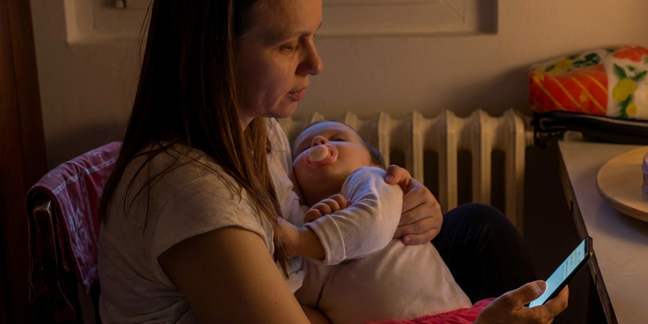
A family opens the school app and sees three new notifications. There is also an unread email from the director, a text about tomorrow’s spirit day, a newsletter in the inbox, photos in the classroom portal, and a reminder to sign up for conferences through a completely different system.
Technically, the school is communicating. A lot.
But is the family actually feeling more connected?
Early childhood programs have more ways than ever to reach families. Apps, email, text messages, websites, digital portfolios, parent portals, virtual meetings, and online newsletters can make information easier to share and give families a window into their child’s day.
But more communication is not necessarily better communication. When every message competes for attention, even important information can become part of the noise.
Technology works best when it helps build the relationship between home and school, not when it becomes the relationship itself.
If Everything Is Urgent, Nothing Is
Families are busy. So are teachers and administrators. Communication systems should make life easier for both, not create another stream of information everyone is struggling to manage.
Cathryn O’Sullivan makes this point in School-to-Home Connections. She writes about the need to translate educators’ knowledge into information parents can “digest and apply” without feeling overwhelmed, emphasizing the value of distilling and condensing what we share.
Here’s a useful test for any family communication: Does this family need this information, in this format, right now?
Programs can help by establishing a predictable rhythm. Perhaps classroom updates arrive every Friday. The center newsletter comes once a month. Routine reminders live in one consistent place. Text messages are reserved for information that actually needs immediate attention.
When families know where to look and what to expect, communication becomes easier to notice, understand, and act on.
The goal is not to send everything. It is to make sure the right things get through.
Pick the Tool Families Can Actually Use
The newest app is not automatically the best app.
Families differ in internet access, device availability, work schedules, technological comfort, language, and communication preferences. A beautifully designed parent portal is not particularly useful to a caregiver who rarely has access to a computer or who finds the platform difficult to navigate.
Johnna Darragh Ernst reminds educators in The Welcoming Classroom that successful family engagement depends on respectful, reciprocal, responsive relationships. She also emphasizes culturally competent communication that takes families’ identities, perspectives, strengths, concerns, and priorities into account.
That means asking rather than assuming.
How do families prefer to receive information? Is text easier than email? Do they need translated materials? Can they reliably access the communication platform the program has chosen? Are there families who need another option?
Accessibility is not simply about whether a tool exists. It is about whether the people you are trying to reach can (and will) actually use it.
Show, Don’t Just Notify
Not every digital message has to be a reminder about forms, deadlines, closures, or what to bring tomorrow.
Technology can also give families meaningful glimpses into a part of their child’s life they otherwise do not get to see.
In Connected Classrooms, Brian Puerling explores digital tools as ways to support communication among teachers, children, and families. He describes using photos, video, audio, digital drawings, and other media to help children and families stay connected. The larger purpose is not the technology itself. It is what technology allows people to share.
A photo of two preschoolers engineering an elaborate block structure can tell a family much more than “We played with blocks today.” A short teacher's caption can make the learning visible: They redesigned the tower three times after it fell and worked together to make the base wider.
This is where digital communication can become especially valuable. It can help families see persistence, collaboration, language development, problem-solving, creativity, and joy that might otherwise disappear when someone asks at pickup, “What did you do today?” and receives the classic preschool answer: “Nothing.”
Give Families Something to Do with It
Good communication does more than reporting what happened at school. It can help families participate in learning at home.
Kick-Start Kindergarten Readiness, by Alison Pepper, is built around that idea. Pepper provides short family letters that explain what children are learning and simple activities families can try at home. Those letters can be shared through weekly emails or newsletters, and the activities use straightforward instructions and commonly available materials.
The simplicity matters.
Families probably do not need a lengthy explanation of emergent literacy research on Tuesday night. They may appreciate one sentence explaining why rhyming matters, followed by a playful suggestion for trying it in the car.
Think of family communication as a bridge rather than a bulletin board. Instead of simply saying, “Here is what we did,” consider adding, “Here is something you might notice, ask, try, or talk about together.”
That turns information into a connection.
Make Room for the Reply
Perhaps the biggest difference between communication and relationship is this: relationships go both ways.
An app can efficiently distribute information to 100 families. That does not mean those families are engaged.
Ernst describes reciprocity as giving families an equal voice and responsiveness as adapting based on the needs of individual families. Similarly, in The Basics of Leading a Child-Care Business, Marnie Forestieri includes listening, asking questions, seeking input, receiving family feedback, and communicating respectfully across cultures and values among essential leadership communication skills.
So build opportunities for families to answer.
Ask what children are talking about at home. Invite families to share traditions, questions, photographs, observations, or ideas. Ask whether the current communication system is working for them. When a family responds, make sure someone responds back.
And remember that sometimes the best communication involves no technology at all.
A conversation at pickup. A phone call after a difficult week. A director greets a family by name. A teacher remembers to ask how the new baby is doing.
Those moments cannot be automated, and they should not be.
Technology can make communication faster, more accessible, more visual, and more flexible. Used thoughtfully, it can help families feel closer to what happens in the classroom.
But an app cannot create trust on its own.
Technology can open the door. Trust is what gets families to walk through it.
Don't forget to share this post:
